
UK number plate age identifiers: what 26 and 76 mean
Understand the two-number age identifier in a current UK registration, including when 26 and 76 plates were issued and what to copy when ordering.
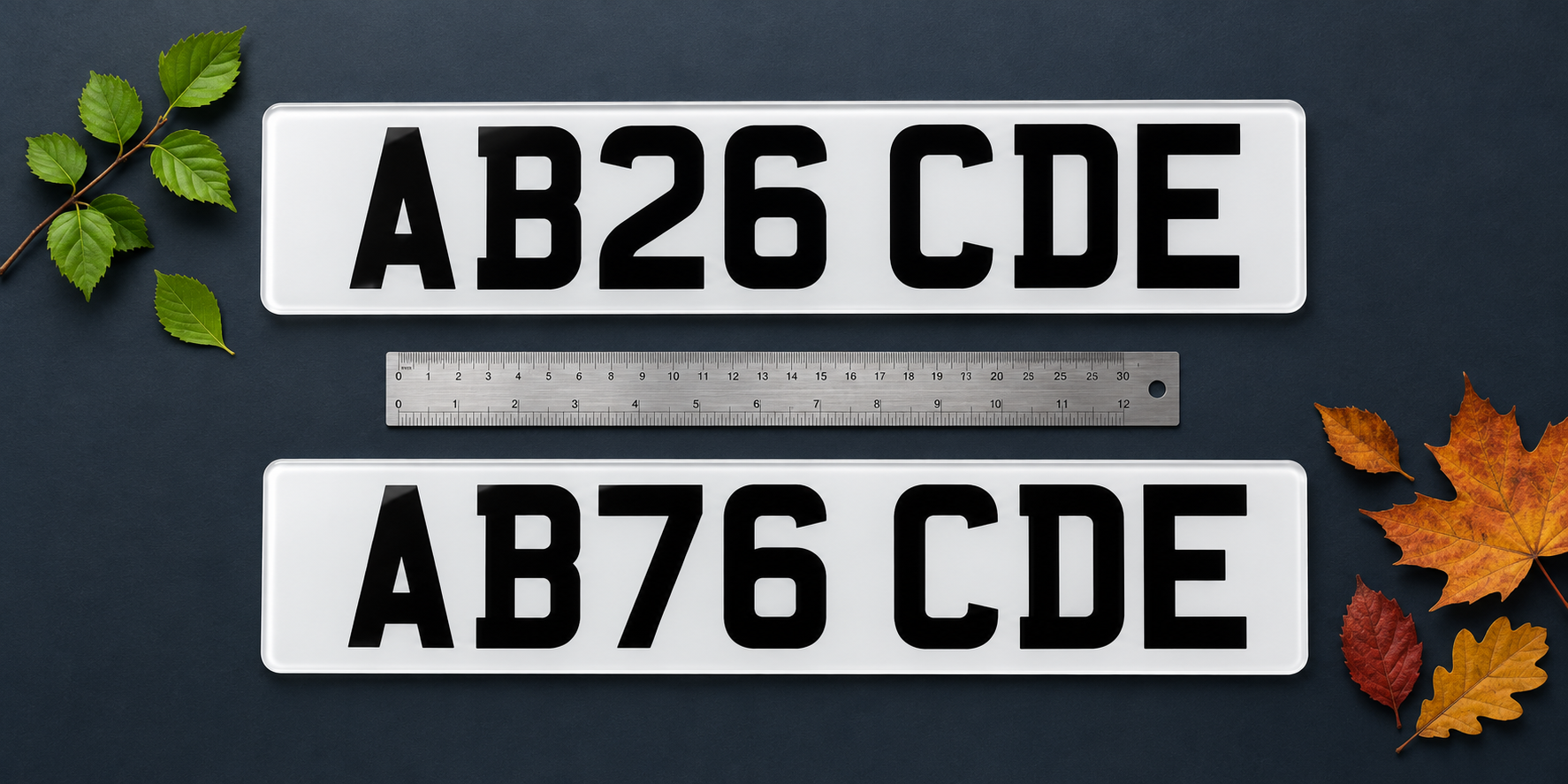
Find the age identifier in a current registration
GOV.UK says the current registration format, introduced in 2001, contains two letters, two numbers and three random letters. In AB26 CDE, AB is the memory tag, 26 is the age identifier and CDE is the random letter group.
The first two letters refer to the region where the vehicle was first registered. The two-number identifier shows when the registration was issued; it is not a day, month or exact build date for the vehicle.
What 26 and 76 mean
DVLA leaflet INF104 lists 26 for registrations issued from March to August 2026. It lists 76 for registrations issued from September 2026 to February 2027.
The same two-release pattern continues: 27 covers March to August 2027, while 77 covers September 2027 to February 2028. Always check the actual registration assigned to the vehicle rather than working it out from an advert or the date you buy the car.
Do not change the identifier on a replacement
A replacement plate must display the vehicle's complete registration exactly. If the registration is AB26 CDE, changing 26 to 76 would create a different registration rather than updating the plate for autumn.
GOV.UK says number plates must show the registration correctly, without rearranging or altering the characters. INF104 also states that a registration number cannot be used to make a vehicle appear younger than it is.
Private registrations may use another format
Not every private registration follows the current two-letter, two-number, three-letter format. Prefix, suffix and dateless registrations can look different, so do not assume that every pair of numbers is an age identifier.
A private number still has to be assigned to the vehicle before it is displayed. Copy it from the DVLA confirmation or entitlement document and check the official assignment conditions, including the rule against making the vehicle appear newer.
Check the registration before ordering
Enter the complete registration in the Vista builder and choose Road Legal when the plate is intended for public-road use. For recognised current formats, the builder arranges the standard group spacing automatically. Choose Show Plates only for display use.
Compare the preview with the entitlement document character by character, then review the front, rear or pair selection, size, lettering, badge, border and fixings. Similar characters such as O and 0 or I and 1 deserve a second check. Official guidance checked on 20 October 2026.
- Read the middle two digits as the age identifier only in a current-format registration.
- Use 26 for March to August 2026 issues and 76 for September 2026 to February 2027 issues.
- Never alter the identifier when ordering a replacement.
- Copy private registrations from the assignment or entitlement document.
- Review every character in the builder before checkout.